C++ Digital Picture & Video Frame
High-performance slideshow engine with direct DRM/KMS GPU acceleration, live Google Calendar agenda, S&P 500 stock streamer, dual-source news ticker, NAS auto-mounting, & zero-touch updates.
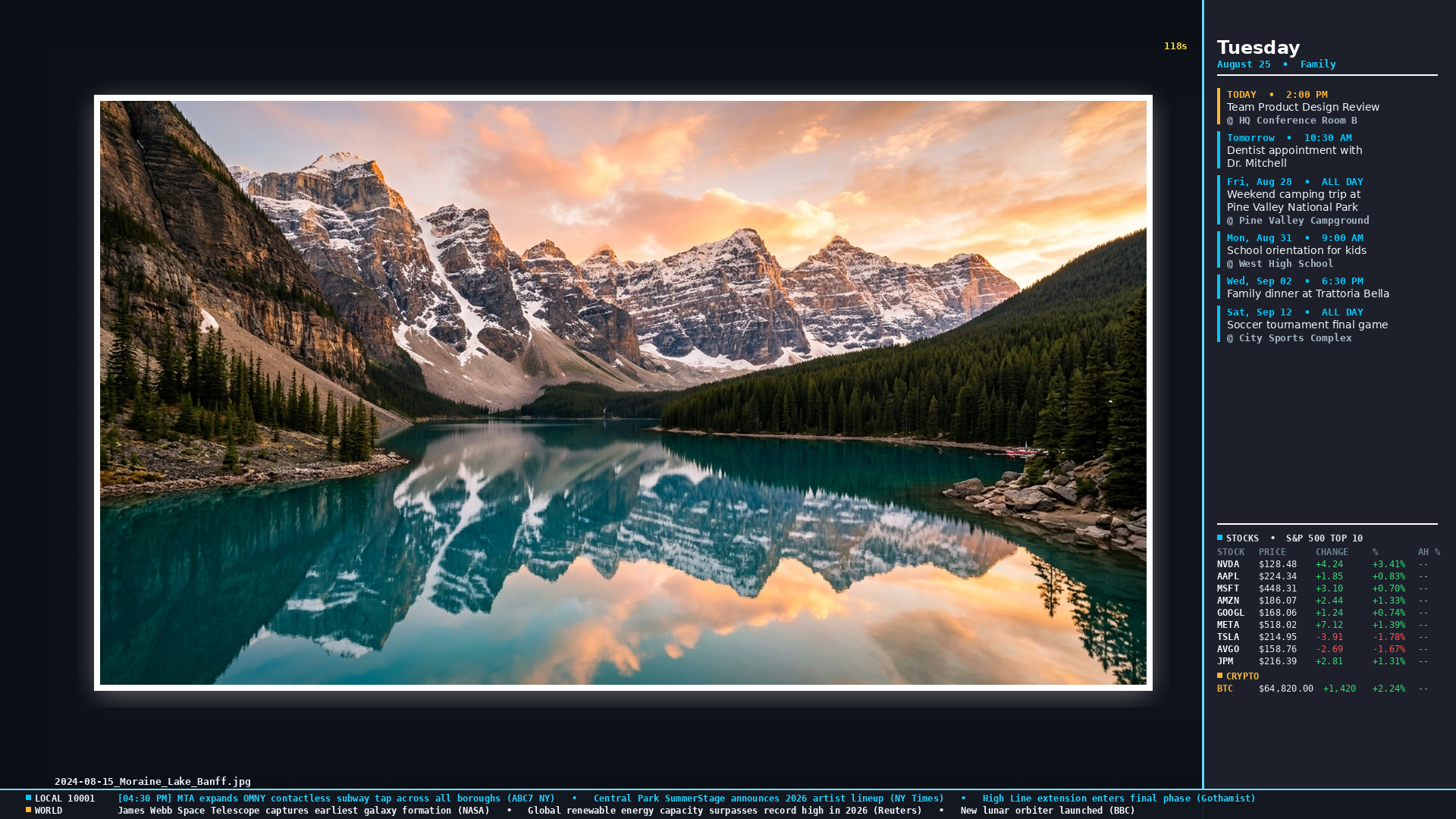
Word-wrapped multi-line agenda sync
Real-time S&P 500 & Bitcoin quotes
Geocoded local headlines + World news
PTS A/V synced FFmpeg 7.1.5 decode
ssh pi@<pi-ip>
pitrove config to open the TUI settings wizard and customize feeds.
Engineered for 24/7 Unattended Elegance
Designed for Raspberry Pi 4 & 5 without compromise on performance or aesthetics.
Direct DRM/KMS Rendering
SDL3 GPU rendering directly to Linux kernel DRM display buffers with zero desktop environment or X11/Wayland overhead.
PTS-Synced Video Engine
In-process FFmpeg 7.1.5 decode with kernel V4L2 M2M hardware acceleration, PTS presentation clock, and seamless photo transitions.
Infopanels Subsystem
Live Google Calendar agenda with auto word-wrapping, real-time S&P 500 & crypto ticker, and dual-feed local/world news crawler.
Universal TUI Wizard
Cross-platform configuration wizard supporting transparent terminals (Alacritty, Windows Terminal, macOS) with auto-geocoding assist.
NAS & CIFS Resilience
Automount watchdog with autofs directory probing, I/O throttle protection, and instant network reconnection recovery.
Self-Healing System
Docker container isolation, 3-layer watchdog recovery, crash signal traps, & zero-touch daily auto-updates.